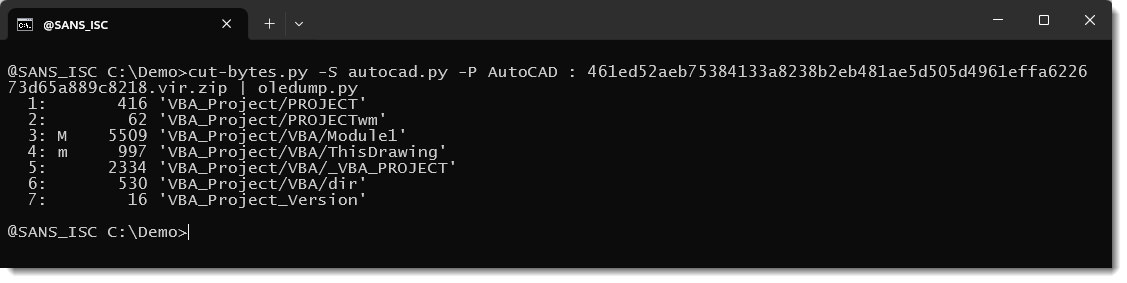
ORPHANED VBA projects can lurk inside AutoCAD drawing files (DWG) as embedded OLE objects. Didier Stevens revisits how VBA code can be stored inside an OLE file embedded in a DWG, and explains how you can locate the embedded file by following a 32‑bit pointer at position 0x24 in the DWG header. A 16‑byte header before the embedded content holds the length of the embedded file, allowing extraction with his autocad[.]py script in combination with cut-bytes[.]py and oledump[.]py for analysis.
In practice, if the pointer is non‑zero, the embedded OLE file may be reached and analysed; if the pointer is zero, a brute‑force search can still reveal an embedded OLE file containing a VBA project.
The diary notes two notable DWG files where the pointer at 0x24 was zero, yet a VBA project existed inside the DWG when searched brute‑force. In one example, a DWG on VirusTotal shows the pointer as zero but contains an embedded OLE file with a 16‑byte header indicating the length of the embedded content. When the AutoCAD extraction path is used, the file may appear empty, yet oledump[.]py can locate and analyse the embedded VBA project.
The author highlights that AutoCAD VBA is not enabled by default and requires a separate installation. A potential cause of orphaning is discussed via an AutoLISP command that might remove the VBA dictionary without clearing the embedded OLE file, leaving the VBA project present but inaccessible to AutoCAD. Practitioners are advised to verify the pointer and also to check for embedded VBA even when the pointer is zero.