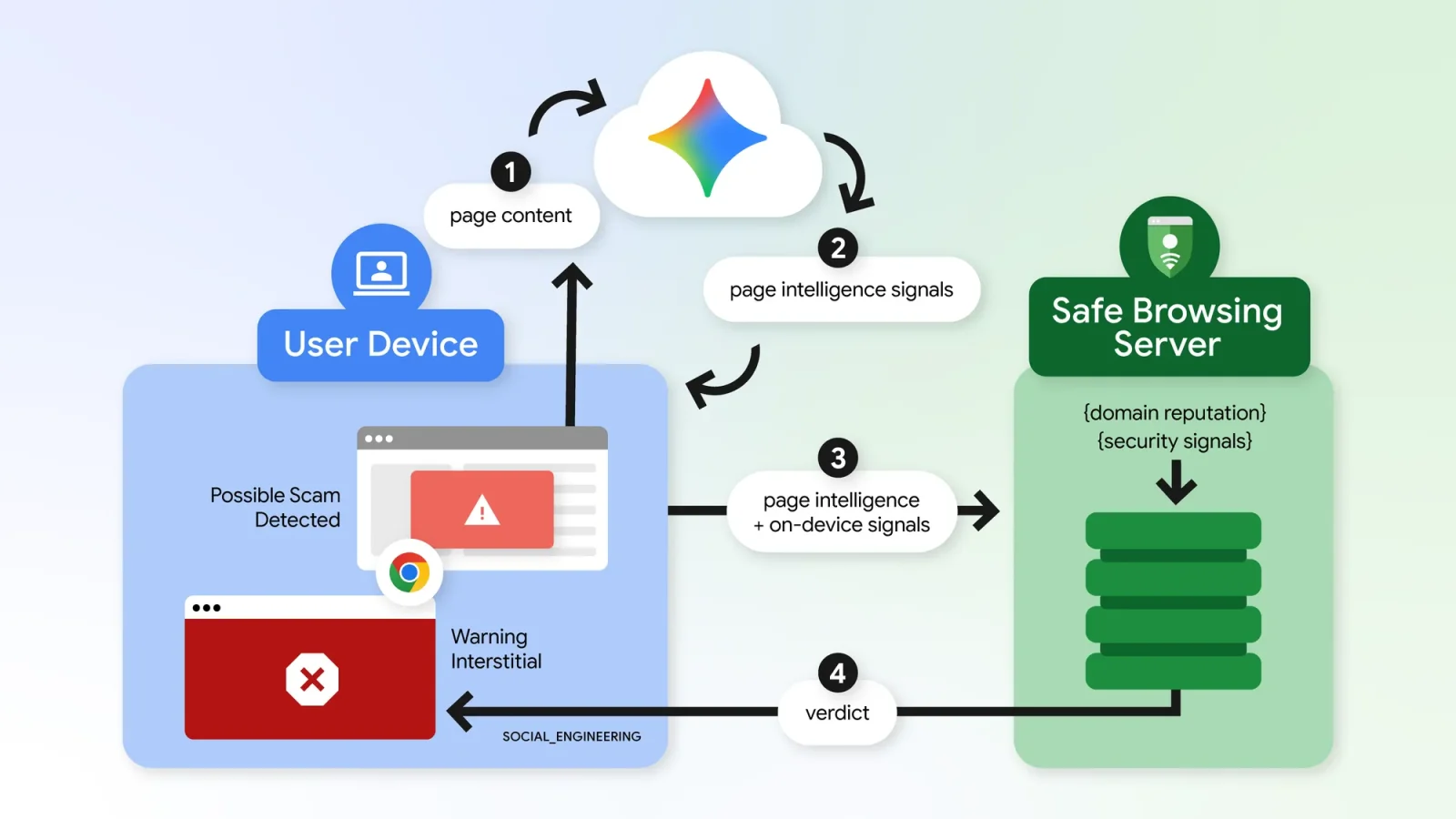
GOOGLE has added new scam and ClickFix protections to Chrome’s Enhanced Protection mode. The features are aimed at users who have enabled the setting and cover suspicious websites, fake scam pages and commands copied from a page.
ClickFix scams use fake CAPTCHAs or system-error messages to persuade visitors to copy a command into PowerShell or Command Prompt. The command may not match what the page appears to show, and because it runs outside the browser, ordinary download checks may not detect it. Chrome first checks whether a site has a poor reputation; if the user tries to copy a command there, it removes personally identifiable information from the clipboard and sends the command to cloud Safe Browsing for analysis.
If the command is judged dangerous, Chrome displays a warning. Google says this is not continuous clipboard monitoring; users concerned about the feature can disable Enhanced Protection.
Chrome is also introducing a tiered approach to site warnings. A pop-up appears when a page has suspicious traits but Chrome is not highly confident it is harmful, allowing users to leave or continue. Confirmed malicious, high-risk sites retain the red full-screen warning. Scam detection is moving from a local Gemini model available on some devices to cloud-based analysis, which can identify and block scams including fake antivirus pages and forged browser updates.
Safe Browsing considers page text, domain reputation and other signals; Google says it sends page text only when there are strong signs of a scam, handles it temporarily, and does not log, retain or use it to train models.